
The High-Volume Demand for E-commerce Reels
Instagram’s algorithm has a clear preference for Reels, which puts immense pressure on US-based e-commerce shops. Posting three to five times a week is no longer an ambitious goal; it’s the baseline for staying visible. For a small business owner, this demand creates a significant bottleneck. The hours spent brainstorming, filming, editing, adding captions, and formatting content add up quickly, pulling focus from core business activities like customer service and product development.
We all know that feeling of staring at a blank video timeline, knowing you need to create something engaging but feeling drained by the repetitive process. It’s a constant cycle that can stifle creativity. This is where the conversation about AI often gets misunderstood. It’s not about replacing your unique brand voice or creative vision. Instead, think of AI as a tireless production assistant, one that handles the tedious, non-creative tasks that consume your day.
This shift in perspective is vital for effective e-commerce video marketing. By automating the repetitive parts of video creation, you reclaim time and mental energy. This guide offers a practical look at specific AI strategies that deliver speed, consistent branding, and better performance for your Reels, letting you focus on what you do best: building your brand.
Generating Video Drafts from Product Assets

Imagine skipping the time-consuming video shoot altogether. The starting point for video creation is changing, moving from a camera and a script to a folder of existing product photos. This is the fundamental shift that AI tools for Reels enable. Instead of building a video from scratch, you can now generate dynamic drafts directly from the assets you already have, like product images or even just a link to your website.
AI platforms can analyze these static images and intelligently assemble them into a complete video. They add motion, transitions, and effects that align with your product’s aesthetic and even select suitable background music. For example, an AI can take five photos of a handbag, identify the best features to highlight, and produce a short, engaging Reel in minutes. As the Blend blog points out in a recent article, there are numerous tools available that help e-commerce businesses turn simple assets into compelling videos.
One of the most valuable functions is the AI’s ability to generate multiple hooks and opening scenes. We all know you have about three seconds to stop someone from scrolling on Instagram. AI can create several different opening sequences for the same video, allowing you to test which one captures attention most effectively. This transforms your role from a hands-on editor, painstakingly adjusting every clip, to a creative director. You are no longer bogged down by the technical work; instead, you curate and refine the best options the AI presents. Modern platforms offer a whole suite of these AI-powered functions, and you can explore some of our advanced options to see how they streamline video creation.
Ensuring Consistent Branding Across All Videos
Once you start producing Reels at scale, a new challenge emerges: maintaining a consistent brand identity. A scattered collection of videos with different fonts, colors, and logo placements can confuse customers and weaken the brand recognition you’ve worked so hard to build. We’ve all seen feeds where the content feels disjointed, and it immediately undermines the brand’s credibility. This is where you can create branded Reels fast by leaning on AI.
Instead of manually adjusting each video, AI-powered design templates allow you to establish your brand guidelines once. You input your brand kit—your specific hex codes, approved fonts, and rules for logo placement. From that point on, the AI automatically applies these elements to every video it generates. This ensures every Reel, whether it’s showcasing a new product or announcing a sale, serves as a cohesive and recognizable brand touchpoint.
Some advanced systems can even analyze your existing Instagram feed to learn your aesthetic. The AI identifies the filters, text styles, and visual pacing you already use and recommends on-brand elements for new content. This makes the AI-generated videos feel authentic and seamlessly integrated with your manually created posts. As a guide from Eko on AI-powered product videos highlights, this automation is key to producing professional-looking content consistently. The long-term value is immense. Every Reel reinforces your brand, building the kind of trust and recognition that drives sales.
Automating Captions and Technical Formatting
The creative work might be done, but the tedious technical tasks are often what take the most time. Consider captions. With a huge portion of users watching videos on mute, captions are not optional; they are essential for accessibility and engagement. Manually transcribing and timing captions for every Reel is a painstaking process. An AI caption generator for video can transcribe your audio with remarkable accuracy in seconds, freeing you from this chore.
Beyond simple transcription, these tools allow you to style the captions to match your brand’s fonts and colors, a level of customization that Instagram’s native feature lacks. This small detail reinforces your brand identity and gives your videos a more polished look. Another common frustration is the "safe zone" issue. You spend hours creating a beautiful Reel, only to find your main call-to-action is obscured by the username or like button in the Instagram interface. It’s a detail that’s easy to miss but can ruin a video’s effectiveness.
AI platforms can automatically analyze your video and adjust text and graphic overlays to keep them within these safe zones. As Sierra Social Marketing notes in their article on AI video editing hacks, automating these technical checks saves significant time. Furthermore, AI can handle auto-reframing, intelligently re-editing a horizontal video into a vertical 9:16 format perfect for Reels. This is a prime example of how to automate video editing to handle the non-creative, technical work that consumes hours. For specific tasks like changing a video’s aspect ratio, you can use one of our dedicated tools to resize video for any platform.
Rapidly Test and Optimize with AI Variations
What if you could move beyond just creating content and start systematically improving it? This is where AI offers a strategic advantage that was once only available to large corporations with big budgets. The concept is sometimes called programmatic creative, and it involves using AI to generate numerous variations of a single Reel from one set of assets. This empowers small businesses to conduct powerful A/B testing without the manual effort.
For example, you can create a Reel promoting a new dress. Manually creating different versions with unique hooks, calls-to-action, or background music would be a major undertaking. With AI, you can generate these variations in minutes. An article from Koro explains how their AI reel generator can create stunning Reels with multiple variations for this exact purpose. You can then publish these different versions and see which one performs best. Does a question-based hook get more engagement? Does a "Shop Now" button get more clicks than "Learn More"?
This approach shifts your e-commerce video marketing strategy from guesswork to informed decision-making. Instead of hoping a video resonates, you gather real-world data on what your audience responds to. This continuous feedback loop allows you to refine your messaging and improve engagement over time, leading to better results and higher sales. It’s not just about making one video; it’s about building a system for continuous improvement. For those interested in exploring more advanced strategies, our blog offers further insights into optimizing video content.
A Practical Workflow for AI-Powered Reel Creation
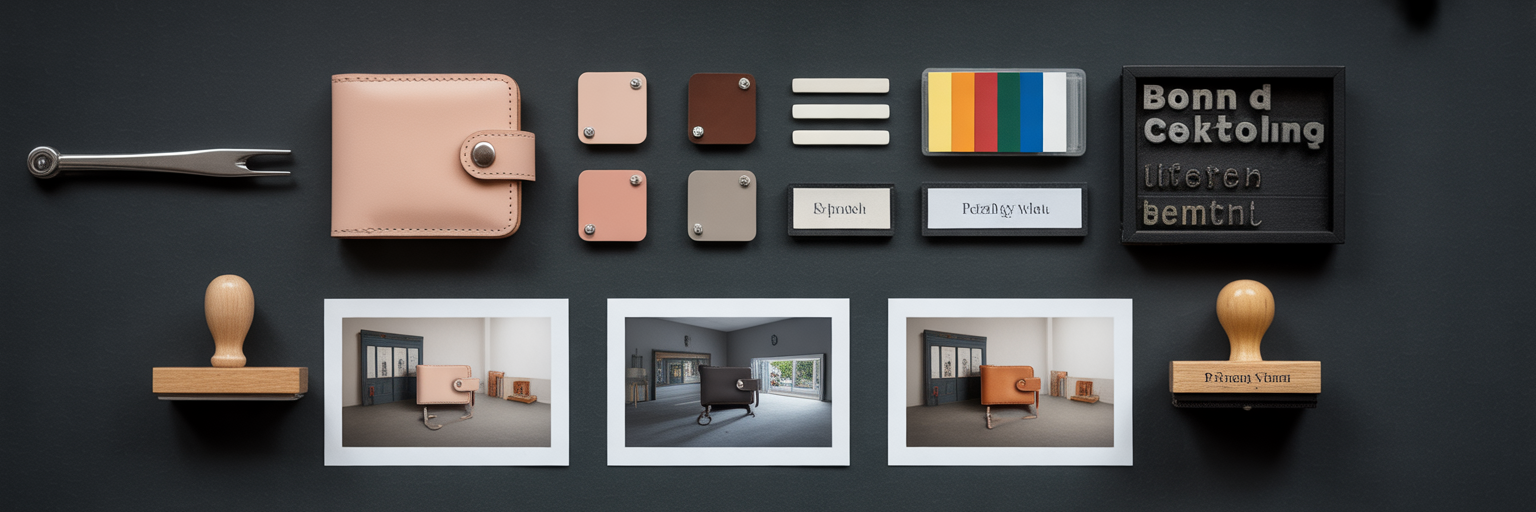
All these concepts come together in a clear, repeatable process. By integrating AI at each stage, you can build an efficient system for content creation that saves time while improving quality. Here is a practical workflow that shows how to automate video editing from start to finish.
- Start with Assets: Begin by uploading your product photos, existing video clips, or simply a product page URL to an AI tool. The AI will analyze these assets and generate several initial video drafts for you to review.
- Curate and Brand: Review the AI-generated drafts and select the one with the most potential. From there, use AI-powered templates to instantly apply your brand’s specific colors, fonts, and logo.
- Finalize Technicals: Use an AI caption generator for video to add styled, on-brand captions. The platform should also automatically check that all your important text and graphics are within Instagram’s safe zones.
- Test and Publish: Before publishing, ask the AI to generate a second version with a different hook or call-to-action. This allows you to easily A/B test your content and gather data on what performs best.
This streamlined process transforms Reel creation from a multi-hour task into a matter of minutes. To see a platform designed around this efficient workflow, visit our homepage.
| Step | Key Action | AI's Role | Primary Benefit |
|---|---|---|---|
| 1. Asset to Draft | Generate initial video concepts | Analyzes assets, creates scenes, adds music | Eliminates need for filming and initial editing |
| 2. Curate & Brand | Apply brand identity | Uses brand kit to auto-apply fonts, colors, logo | Ensures brand consistency in seconds |
| 3. Finalize Technicals | Add captions and check formatting | Transcribes audio, styles text, adjusts for safe zones | Saves hours of tedious manual adjustments |
| 4. Test & Publish | Create variations for A/B testing | Generates multiple versions with different hooks/CTAs | Provides data to optimize future content |
Your New Role as Creative Director
Embracing AI for video creation isn't about giving up control. It’s about strategically delegating the work that drains your time and energy. AI automates the role of the technical video editor, handling the repetitive tasks of assembling clips, applying branding, transcribing audio, and formatting for different platforms. This automation frees you from the production line and places you in a new, more powerful position: the creative director.
Your role shifts from doing to directing. You guide the AI, curate the best creative options it provides, and make strategic decisions based on performance data. The hours you save are not just empty time; they are a valuable resource you can reinvest into what truly matters. That time can now go toward refining your marketing strategy, engaging with your customers, or developing new products.
Ultimately, AI is a strategic partner that allows small e-commerce businesses to scale their content and compete effectively without scaling their workload. It’s about gaining an advantage that lets you focus on the big picture, confident that the details are being handled for you.